
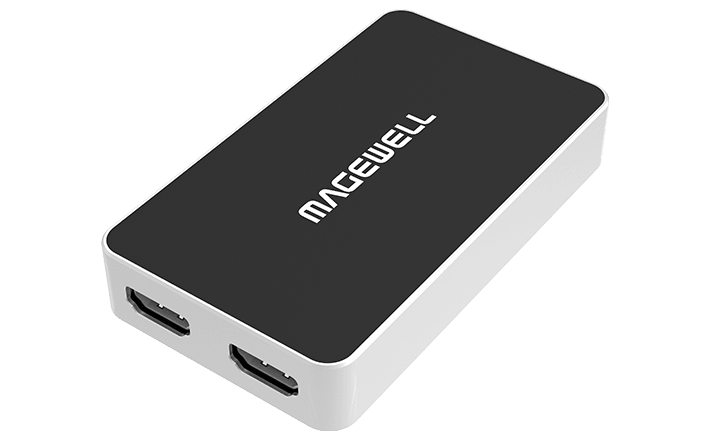


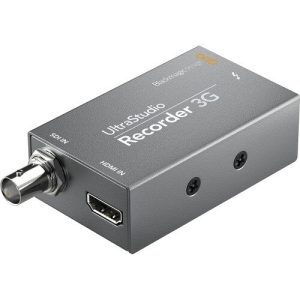
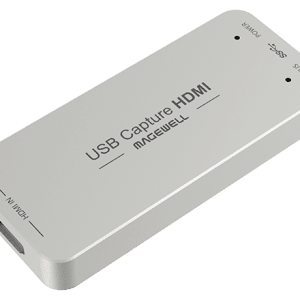
One-channel 2K capture device
Capture HDMI + embedded audio
Loop-through HDMI signal
Audio input via mic
Extract HDMI embedded audio output via headphones
Support 4Kp60 4:2:0 input. Capture from the newest game consoles such as PS4 Pro and XBOX One S. Automatically down scale to 2K for recording or streaming
Interface
Specifications and Features
Interface
Input Interface & Loop-through Interface
One HDMI input + embedded audio
One HDMI loop-through
Support input & loop-through resolution up to 4096×2160 pixels
Audio Input/Output Interface
3.5mm audio jack for microphone/ headphones
Host Interface
USB 3.0, compatible with USB 2.0
OS
Windows, Linux, Mac, Chrome OS
Capture format
Support capture resolutions up to 2048×2160
Support capture frame rates up to 120fps
Capture 2-channel embedded audio or analog audio via 3.5mm microphone interface
Included Software
USB Capture Utility, Capture Express, etc.
Compatible Software
Zoom Rooms, Microsoft Teams Rooms, Skype for Business, Google Hangouts, GoToMeeting, VLC, OBS Studio, XSplit, etc.
Input Features
297MHz HDMI receiver, max input & loop through video:
4096×2160 30fps 4:4:4/4:2:2
4096×2160 60fps 4:2:0
Custom EDID
Input RGB/YUV 4:4:4 8/10/12-bit, YUY 4:2:2 12-bit, YUV 4:2:0 8/10/12-bit
Up to 8-channel 24-bit HDMI-embedded audio at 192kHz
2-channel IEC60958 audio streams via 3.5mm microphone interface
HDMI interfaces: HDMI 1.4, DVI-D
Process and Capture Features
Video processing pipelines with ~160M pixels/s processing bandwidth
Capture videos up to 2048×2160, frame rates up to 120fps. Outputs include (actual capture frame rate can be limited by the USB bandwidth and internal working frequency.):
1920x1080p 23.98/24/25/29.97/30/50/59.94/60
1280x720p 23.98/24/25/29.97/30/50/59.94/60/100/119.88/120
720x576p25
720x480p30
Output YUYV/UYVY/RGB24/RGB32 videos
Support video cropping, up/down scaling, de-interlacing, aspect ratio conversion, color format conversion, frame rate conversion, flip and mirror
Output audio of HDMI signal or hosting machine (the computer) via 3.5 mm headphone jack
Up to 2-channel IEC60958 audio streams
Included Software
USB Capture Utility enables users to easily check and set the capture-related parameters, upgrade firmware of the capture device and export info needed for troubleshooting
SDK & APIs
The MWCapture SDK provides functions including signal status extraction, capture configuration and real-time audio & video capture, etc
Windows DirectShow/Wave API/DirectSound/WASAPI
Linux V4L2/ALSA
macOS AVCaptureSession/AudioUnit
Output Interface
USB 3.0
compatible with USB 2.0
compatible with USB 3.1 Gen 1
Compatible Software
Zoom Rooms
Microsoft Teams
Skype for Business
Google Hangouts
GoToMeeting
Gstreamer
VLC
OBS Studio
XSplit
QuickTime Player
Any other DirectShow/V4L2/AVCaptureSession based encoding or streaming software
Recommended OS
Windows 7/8/8.1/10/11/Server 2008/Server 2008 R2/Server 2012/Server 2016 (x86 & x64) and above
Linux x86, x64 & ARM architecture, with 2.6.35 and above
Mac OS X 10.9/macOS 10.12 and above
Chrome OS
LED Indicator
Status LEDs indicate the working state of the device:
Pulsing slowly: input signal unlocked
On: input signal locked
Double blinks: memory abnormal or FPGA configuration failed
Off: firmware or power supply abnormal
Form Factor
3.86 inch (L) x 2.24 inch (W) x 0.67 inch (H) (98.1mm x 56.8mm x 17mm)
Accessories
1 × USB 3.0 cable
Power Consumption
5V max current: ~900 mA
Max power consumption: ~4.5 W
Working Environment
Operating temperature: 0 to 45 deg C
Storage temperature: -20 to 70 deg C
Relative Humidity: 5% to 90% non-condensing
Reviews
There are no reviews yet.