
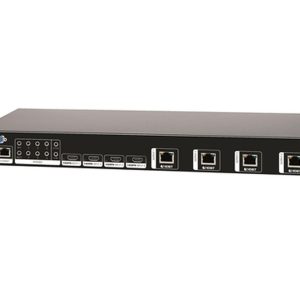
neo:4 Professional w/ HDCP 2.2
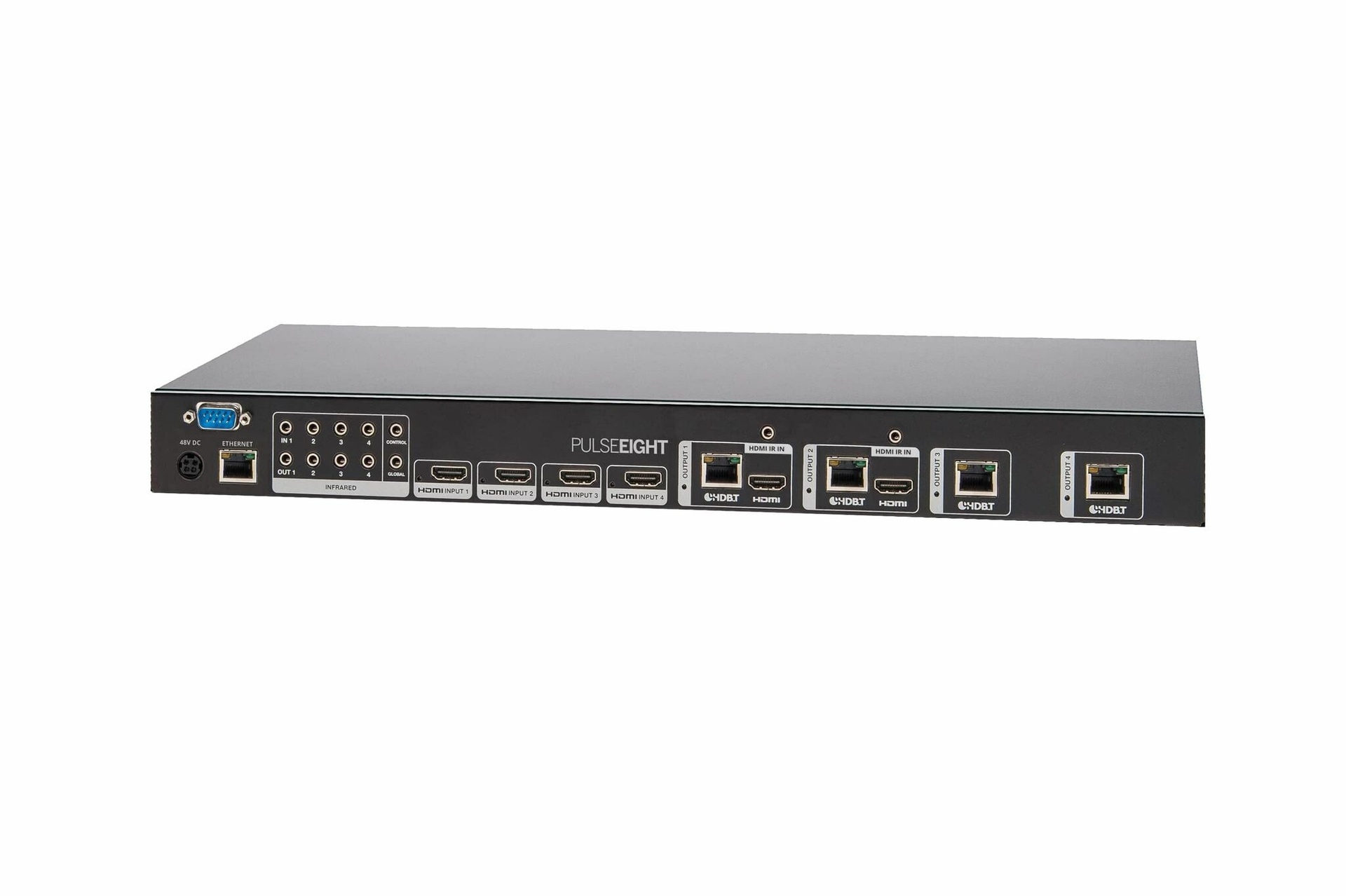
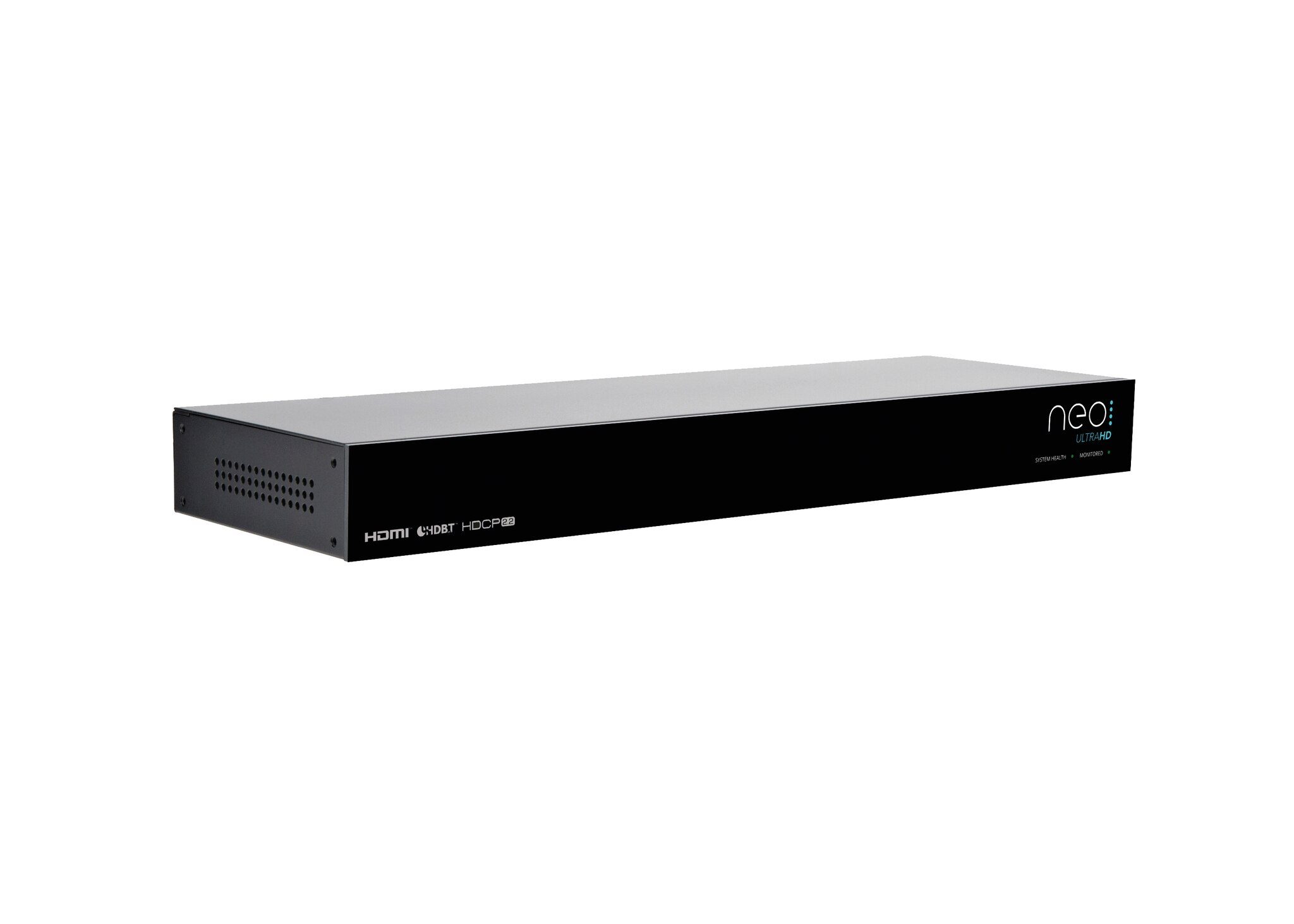
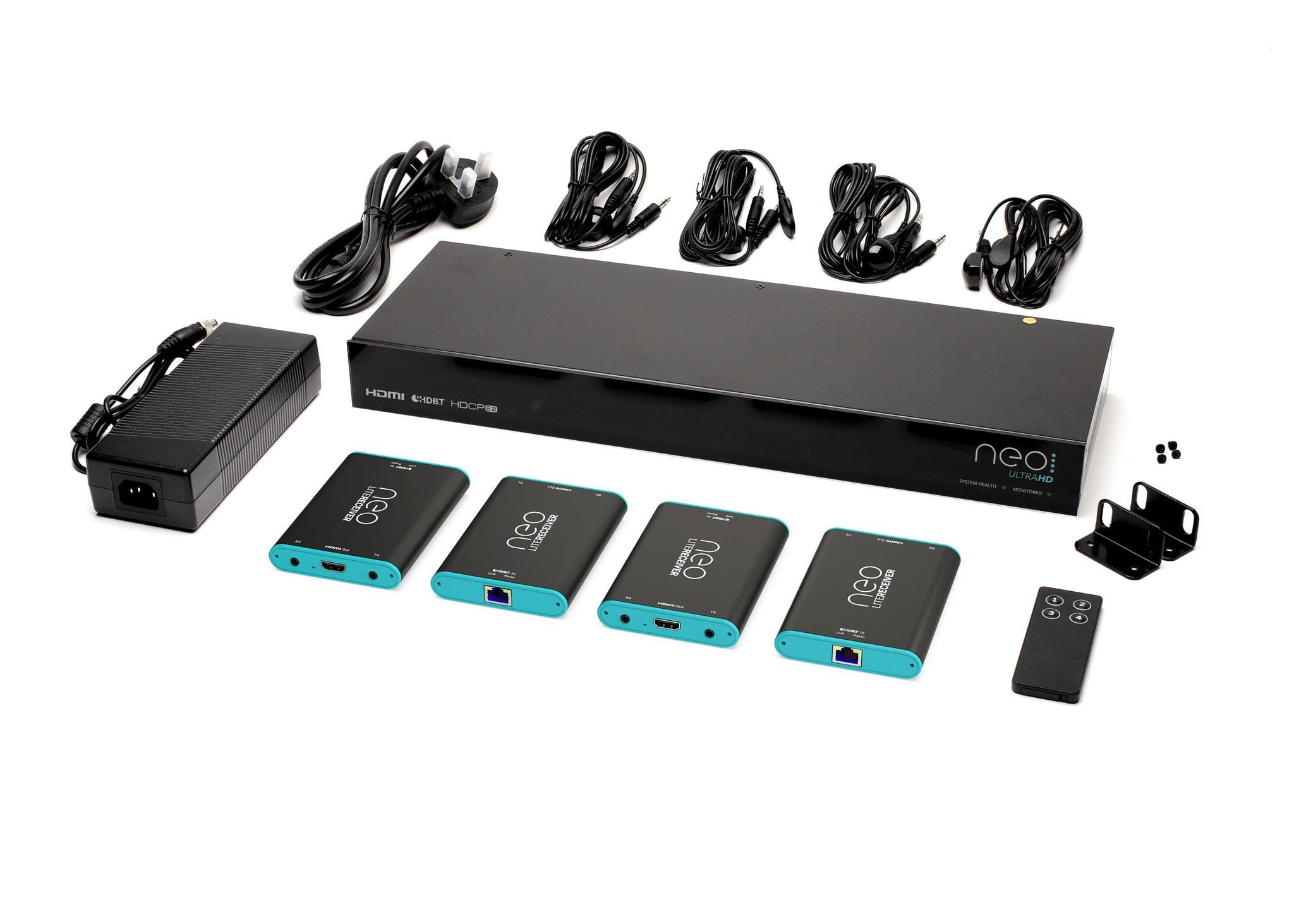
Our flagship 4×4 HDBaseT matrix with 2 mirrored HDMI ports, includes 4 HDBaseT 70m Class B PoH receivers.
neo represents the culmination of 4 years of hardware and software development at Pulse-Eight, our refined HDBaseT video matrix solutions ensure they offer you exactly what you need whether you’re a professional AV Installer or a residential user.
CORE FEATURES
Ultra HD 4K Video Transmission (upto 340Mhz), 1080p, 3D
Full HDCP 2.2 Support
4x HDMI Inputs
4x HDBaseT Class B Outputs
2x HDMI Outputs (Mirrored)
4x neo:Lite PoH Receivers Included
HDMI-CEC Bi-Directional Control
Bi-Directional IR Control
Responsive Web Interface
Automatic EDID Management
Three Year Standard Warranty
Built In Britain
KEY TECHNOLOGIES:
COMPATIBLE CONTROL SYSTEM DRIVERS:
MATRIXOS
At the core of neo is MatrixOS the beating heart of our 340Mhz video processing unit. Providing you with instant access to all of your connected source devices in stunning Ultra HD 4K, 1080p or 3D. This powerhouse helps to create a “just works” solution, from dynamically generating EDIDs (to ensure the best video quality to every TV) right through to handling software updates for the HDBaseT link. With one goal in mind. Giving you the best possible video distribution system in the world.
CONTEXTUAL IR
4 in, 4 out, that’s 16 possible combinations of your video. Historically matrixes have offered remotes with 8 or 16 buttons, requiring multiple presses to get video to the TV your watching. We thought this was an odd solution, given you already known which room you are in, so should the matrix! Our designers did away with this old concept and instead created Contextual IR, this reduces the number of buttons to just 4, one for each possible input. Whatever room your in, select 1, 2, 3, 4 and watch that source instantly.
HDMI-CEC
But then we asked, why use IR at all? Most TVs now support CEC, we are world experts in CEC technology with our libCEC and USB-CEC Adapters, so we’ve baked that technology into neo. Now you can just use your normal TV remote and press the “Source” key, each of your input devices will be listed and just select the one you want and the matrix will route the video automatically, even if the source does not support CEC itself
If however, the source device does not support CEC, then you can continue to control it via your remote control as neo will automatically relay the necessary messages to your source device.
INSTANT ON
In the UK, Sky (one of the main satellite TV providers) recently added CEC support, the way they did it was pretty interesting (simply press the “Sky” button and your TV turned on and so did the Sky+ HD box) and it gave us an idea, we could do this with neo. With Instant On, press the Sky button in any room and we will detect this, turn the TV on and switch the video path to the Sky+ HD box.
But we go one step further, if you have more than one Sky+ HD box connected to neo then we will intelligently detect which Sky+ HD box is not in use and route this to your TV
Don’t worry if you are not in the UK, Instant On can be customised for just about any collection of source devices
WEB INTERFACE
We want to give you the best experience possible, to do this, we think it’s important you can access neo from any device, be it mobile, tablet or desktop PC and in any browser. We’ve done this with our responsive design, so it works with you and not the other way round. Our web interface is built directly on top of our REST/API, this means that whatever you can do on your phone, you can get your control system to do also and vice versa. There are no hidden tricks or special codes that require a magic moon dance to work. All of our documentation is free and available on our monitoring site.
READ MORE ABOUT WEB APP CONTROL…
MONITORING
It’s important that you get video all the time, to help us do that every neo professional matrix keeps in contact with our cloud management service. You can tell if this is working with the Monitored LED on the front of the matrix. If you get stuck, your installer or yourself can log into our cloud portal and see helpful diagnosis information (if you let them), fix problems remotely or tell you where you may have gone wrong in the installation. All of this is free of charge. If neo has a problem, we get alerted too and we can get in contact to arrange a hardware replacement or give you a step by step guide to get you up and running again.
JUST ASK…
With the neo Alexa skill enabled on your Amazon Echo or Dot you can use commands to turn a certain TV on or off or to switch source devices. Imagine walking out of the lounge at night to continue watching TV in bed, you can simply say ‘Alexa, turn off lounge’ then ‘Alexa, turn on Sky Q in bedroom’ and without having to lift a finger the matrix will make your requests happen, including turning on the bedroom TV and switching to the input source with one command.
ADDITIONAL FEATURES
SMARTER TV
What you see is what you control, instead of complex remote controls, use your original TV remote
CONTEXTUAL IR
4 in, 4 out, that’s 16 possible combinations of your video. Historically matrixes have offered remotes with 8 or 16 buttons, requiring multiple presses to get video to the TV your watching. We thought this was an odd solution, given you already known which room you are in, so should the matrix! Our designers did away with this old concept and instead created Contextual IR, this reduces the number of buttons to just 4, one for each possible input. Whatever room your in, select 1, 2, 3, 4 and watch that source instantly.
RACK MOUNTABLE
Small and lightweight, can be mounted into almost any rack type. Matching your existing equipment so it seamlessly blends in.
MONITORING
It’s important that you get video all the time, to help us do that every neo professional matrix keeps in contact with our cloud management service. You can tell if this is working with the Monitored LED on the front of the matrix. If you get stuck, your installer or yourself can log into our cloud portal and see helpful diagnosis information (if you let them), fix problems remotely or tell you where you may have gone wrong in the installation. All of this is free of charge. If neo has a problem, we get alerted too and we can get in contact to arrange a hardware replacement or give you a step by step guide to get you up and running again.
INSTANT ON
In the UK, Sky (one of the main satellite TV providers) recently added CEC support, the way they did it was pretty interesting (simply press the “Sky” button and your TV turned on and so did the Sky+ HD box) and it gave us an idea, we could do this with neo. With Instant On, press the Sky button in any room and we will detect this, turn the TV on and switch the video path to the Sky+ HD box.
But we go one step further, if you have more than one Sky+ HD box connected to neo then we will intelligently detect which Sky+ HD box is not in use and route this to your TV
Don’t worry if you are not in the UK, Instant On can be customised for just about any collection of source devices
WEB INTERFACE
We want to give you the best experience possible, to do this, we think it’s important you can access neo from any device, be it mobile, tablet or desktop PC and in any browser. We’ve done this with our responsive design, so it works with you and not the other way round. Our web interface is built directly on top of our REST/API, this means that whatever you can do on your phone, you can get your control system to do also and vice versa. There are no hidden tricks or special codes that require a magic moon dance to work. All of our documentation is free and available on our monitoring site.
DOWNLOAD NEO4 INSTALLATION GUIDE
DOWNLOAD NEO4 WIRING GUIDELINES
DOWNLOAD NEO4 PRO SPEC SHEET
REGISTRATION & DEVICE SETUP
Want to know more?
Pulse Eight Company Info and Product Overview – HTTPS://YOUTU.BE/MKPNY2QOIFM
Future of HDBaseT & Demystifying Terminology – HTTPS://YOUTU.BE/MEHSSCNH14O
Adding Audio to a Video World – HTTPS://YOUTU.BE/MM1D_N11WLS

Reviews
There are no reviews yet.