



Key Features
2 x HDMI Inputs, 1 x USB Type-A Input
1 x HDMI Output, 1 x USB Type-C Output
RJ45 Ethernet Port, Audio In/Out
Combine WebCam and Screen Share Content
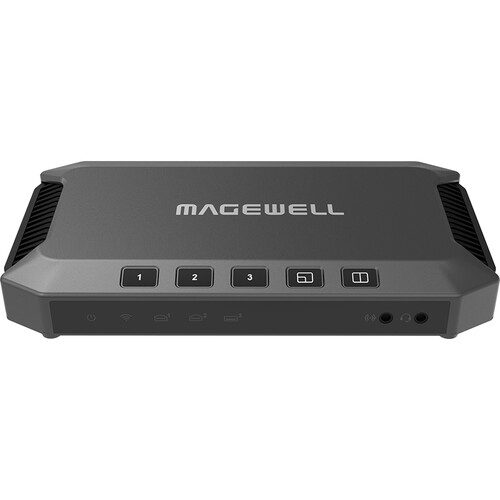
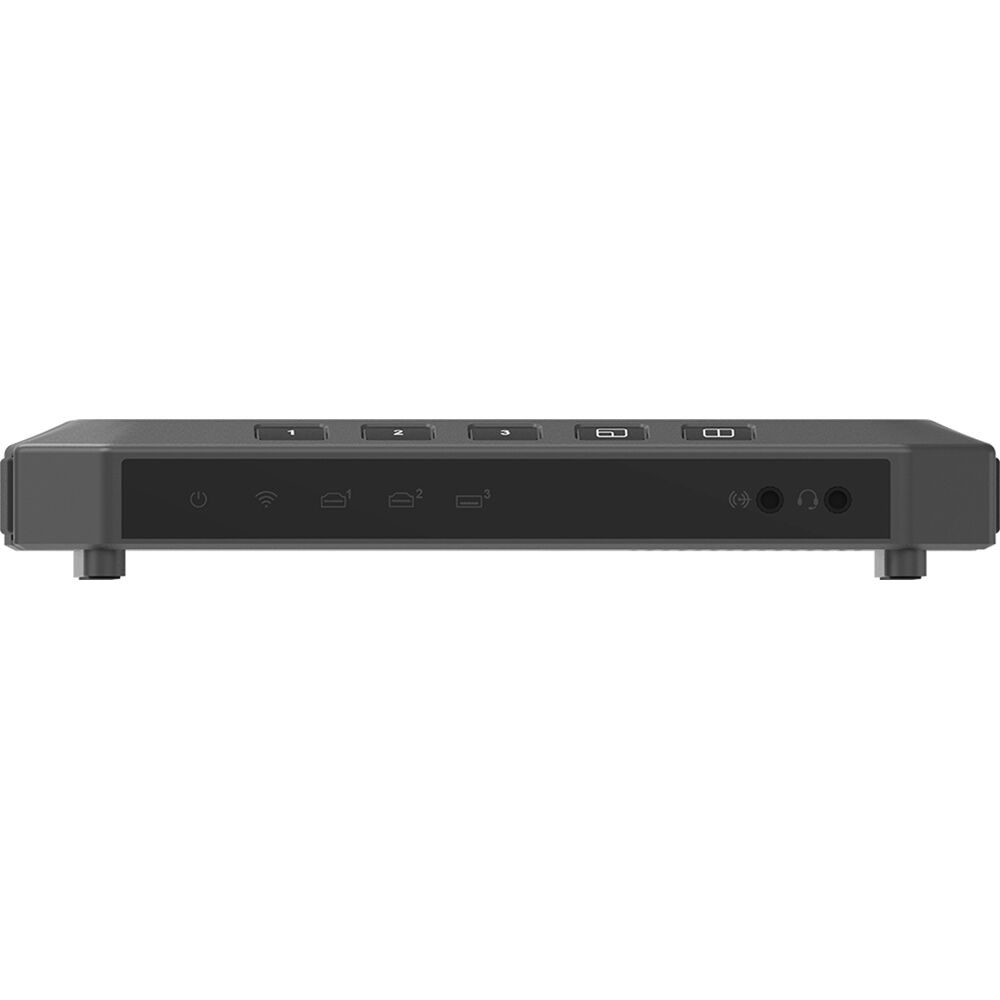
Onboard Buttons, LED Indicators
Built-In Web UI & App Control
Combine live video sources and screen shared content for more engaging presentations using this USB Fusion HDMI & USB Video Capture Device from Magewell and its USB 3.0 and HDMI connectivity. Two HDMI inputs and one USB Type-A input take in video up to 1080p at 60 fps from sources like webcams, computers, or other recording sources. An HDMI and a USB Type-C output then deliver that video to a monitor or streaming computer to share those visuals.
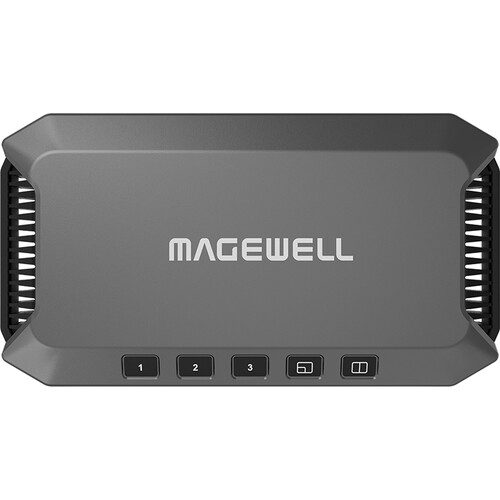
Headphones or microphones can be integrated into the system with the 3.5mm audio jacks. An RJ45 Ethernet port supports 1000 Mb/s Ethernet to connect to Wi-Fi for control via the built-in WebUI program. The USB Fusion has onboard buttons on the top panel to toggle between different sources and display orientations, as well as LED indicators to show connectivity. An app compatible with tablets and other mobile devices can add more advanced control to the Fusion.
Features at a Glance
Supports multiple scene display modes like single view, picture in picture, and side by side
High-quality video processing with zero CPU usage
Import multimedia files to enrich presentations
Control settings and operations via companion app or Web UI
USB 3.0 interface for high-speed data transferring
Broad software compatibility for streaming
Automatic, driver-free installation with support for Windows, Mac, and Linux OS
Onboard control buttons switch sources and picture modes
LED indicators for connection status
Interface
Specification and Features
Interface
Input Interface&Output Interface
2x HDMI 1.4 Type-A input
1x USB 3.0 Type-A input
Supports input resolution up to 1920x1080p, 60fps
1x USB 3.0 Type-C output
1x HDMI 1.4 Type-A output
Audio Input&Output Interface
3.5mm audio jack for line in and headset
OS
Windows, Linux, Mac
Included Software
USB Fusion App
Compatible Software
Skype, Zoom, Microsoft Teams, etc.
Others
Automatic, driver-free installation for plug-and-play
On-device buttons and LED status indicator
2-year warranty
Form factor: 186mm (L) x 101.2mm (W) x 30mm (H)
HDMI
Port: 2x HDMI 1.4a Type-A port (HDMI 1 / HDMI 2)
Resolution/frame rate: up to 2048x1080p, 60fps
Color depth: 8-bit, 10-bit, 12-bit
Video sampling: RGB 4:4:4, YCbCr 4:4:4, YCbCr 4:2:2
USB
Port: 1x USB 3.0 Type-A port (WEB CAMERA 3)
Resolution/frame rate: up to 2040x1080p, 60fps
Codec: YUYV, H.264, MJPG, UYUV, NV12, etc.
Imported files
Video file: MOV, MP4, MKV
Image file: JPEG, PNG, BMP
PDF file
Resolution: up to 4K, 8-bit
Codec: H.264, HEVC (H.265)
Web page
Transfer protocol: HTTP, HTTPS
Audio Input
Line in port: 1x 3.5mm jack, 2-channel, 48 KHz, 16-bit
Headset port: 1x 3.5mm jack (CTIA standard), 2-channel, 48 KHz, 16-bit
Up to 8-channel 24-bit HDMI-embedded audio at 192KHz
Audio from WEB CAMERA 3 port: 2-channel (The audio is disabled by default, and can be enabled on Web UI.)
Audio embedded in video files
Audio file: MP3, M4A, WAV
Audio of web pages
Video Output
USB OUT
Port: 1x USB 3.0 Type-C port
Resolution: 1920×1080, 1280×720, 640×480
Frame rate: 60fps, 30fps, 15fps
Video sampling: YUYV, NV12, ARGB
HDMI OUT
Port: 1x HDMI 1.4a Type-A port
Output image: HDMI 1, HDMI 2, or PROGRAM image
Output resolution: configurable, up to 2048×2048 (Actual resolution options can be limited by the negotiation result between the device and monitor.)
Audio Output
1x 3.5mm jack: headset port
Format: 2-channel, 48 KHz, 16-bit
Standard: CTIA
Audio output via WEB CAMERA 3 port: 2-channel (The audio is disabled by default, and can be enabled on Web UI.)
Audio output via USB OUT port: 2-channel, 48 KHz, 16-bit
Audio output via HDMI OUT port: 2-channel, 48 KHz, 16-bit
Video Processing & Production
HDMI source
Video/audio signal data: auto extracted
Color space/quantization range: calibration supported
De-interlacing: Bob, motion adaptive, motion compensated
EDID: self-definition supported
USB source
Format: selects according to the source
Resolution/frame rate: selects according to the source
PDF source
Supports turning pages, visiting hyperlinks, zooming in and out, etc.
Web page source
Supports browsing web pages, visiting hyperlinks, zooming in and out, etc.
Supports inputting information through the remote keyboard
Auto conversion of frame rate/color space
Source switching: auto, manual
Scene compositing: picture in picture, side by side
Scene editing: crop, mirror, scale, rotate, and more
Annotation: pens, shapes, text, and more, generated as notes for exporting
Presentation: supports creating, importing, exporting, managing presentations, etc.
GFX: supports adding and applying text or picture (JPG, JPEG and PNG) as GFX into the presentation
Audio Processing & Production
Auto resampling
Auto audio de-embedding and embedding
Controls volume of audio output and each audio input
Supports microphone gain
Recording and Screenshot
Supports manual and schedule recording to local storage, with default format of 1080p60, H.264, MP4 (Recording parameters and schedule can be configured on Web UI )
Screenshot format: JPEG, 1920×1080
Storage space: 128 GB
Cloud backup: supports automatically or manually uploading recorded video and screenshots to Google Drive
Provided Software
USB Fusion App
Creates, edits and controls presentations
Supports HD, SD, Auto and customized preview quality
Provides USB Clicker to control the PowerPoint on the computer connected to the USB OUT port.
Takes and manages recordings and screenshots
OS version: iOS 12 and later, Android 7.0 and later
Web UI
Configures and manages the device
Creates, controls and manages presentations and media files
Configures recording parameters and sets schedule recording
Source: supports ISO recording by selecting the source to record, and selecting whether to only record the image
Encoder: sets resolution (up to 1080p60), bitrate mode (CBR or VBR), audio (up to 48Khz, aac, 256kbps), etc.
Storage: supports local storing as MP4 or MOV files, and splitting files by time or size
Schedule: sets recording schedule to implement recording automatically during the specified time period
Manages recordings and screenshots, and supports auto or manual backup to Google Drive
Sets the login mode of the App to the device, including free login, password to login and pairing to login
Customizes preview quality for the App
Sets sleep
Supports registering Magewell Cloud for centralized management
Network
Ethernet: 1x RJ45 port, 10/100/1000 Mbps Base-T
Wi-Fi network: IEEE 802.11 a/b/g/n/ac/ax, Station mode and AP mode supported
USB network: 1x USB OUT port
Compatible Software
Skype, Zoom, Microsoft Teams
Other UVC/UAC compliant, DirectShow/V4L2/AVFoundation compatible software
Compatible OS
Windows: Windows 7 and later, Server 2008 and later (x86 & x64)
Linux: Linux system with kernel 2.6.35 or later (x86, x64 & ARM)
Mac: OS X 10.9 and later, macOS 10.12 and later
Buttons
Switches and composites sources
Starts or stops pairing for “Pairing to login” mode
Wakes up the device when it is sleeping
LED Indicators
Power
On: power on
Off: power off
Wi-Fi / HDMI 1 / HDMI 2 / WEB CAMERA 3
On: connected
Off: not connected
Line-in / Headset
On: connected
Pulsing: not connected
Power
Power port: 2.1mm x 5.5mm jack
Power input: 12V/3A
Power Consumption
Static working status: 10W
Full-load working status: 17.5W
Static sleeping status: 9.8–10w
Full-load sleeping status: 14.5–14.8W
Dimensions
186mm x 101.2mm x 30mm
Accessories
1x Power adapter
Output: 12.0V/3.33A
1x USB 3.0 cable
Working Environment
Operating temperature: 0 to 40 deg C
Storage temperature: –20 to 70 deg C
Relative humidity: 5% to 90% non-condensing
_99-300x300.jpeg)
Reviews
There are no reviews yet.